Description
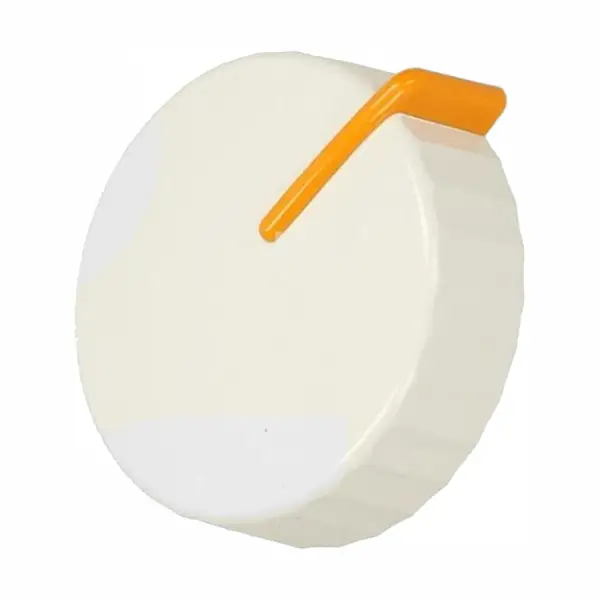
Original white timer button for Miele washing machine Miele 5017253
The original Miele timer knob, part number 5017253 (also known as 5017251), is a white rotary knob with a yellow stripe for a mechanical clock in Miele washing machines. The knob allows for precise wash time selection and is suitable for models from the W3 and W9 series. Certified original part - suitable as a replacement for a broken, fallen, or worn knob.
The button fell off? Broken? Won't turn? It happens. And it's replaced in less than 10 minutes, without tools. Check that your model is on the list below, and get back to washing.
Why does this button tend to break on older Miele machines?
The mechanical timer buttons are the component that is touched the most – every wash. From the experience of our technicians, in about 60% of cases the button is not broken on the inside – it just fell off the hinge. Before ordering a part, it is worth checking that the hinge itself is in good condition and that there are no plastic residues stuck in it. If the hinge is intact – it is just a button, and this is a completely simple repair.
The knobs are made of white ABS plastic with a yellow stripe – a classic Miele design from the 90s and 2000s. The yellow is the directional marker, which allows for quick reading of the timer position even in low light.
📋 Technical specifications
| attribute |
value |
| Manufacturer's SKU |
5017253 / 5017251 |
| brand |
Honey |
| Type |
Mechanical timer button |
| צבע |
White with yellow stripe |
| material |
ABS plastic |
| compatibility |
Miele washing machines and clothes dryers |
| Situation |
Original part |
✅ Compatible models
Verified models: W839, W3122, W3203, W987, W853, W963
Compatible series: W3, W9
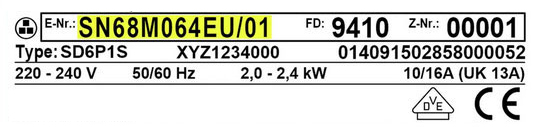
Please note: The model sticker (E-Nr) is located on the inside of the washing machine door. Before ordering – check that your model is listed. If the model is not listed – contact us with the model number to check compatibility.
🔧 How do you replace the button?
Difficulty level: Very easy – no tools required. Time: About 5 minutes.
- Make sure the machine is turned off and unplugged.
- Pull the old knob straight out (front pull, not twist)
- Check that the metal/plastic hinge is intact and clean.
- Insert the new button into the hinge and press until you feel a slight “click”
- Check that the knob rotates freely in all directions.
Important: If the button does not “go in” easily – do not press hard. Check that there is no plastic residue from the old button inside the hinge.
💡 Tip from the experts
The most common mistake we see: Customers order a new knob when the real problem is the timer shaft that has broken inside. Before ordering, check that the shaft itself turns – if it is solid and intact, the knob is all that is needed. If the shaft is loose, wobbly, or won’t turn – the timer mechanism itself may also need to be replaced.
❓ Frequently Asked Questions
Is the button also suitable for Miele tumble dryers?
Yes. Part number 5017253 is listed in the manufacturer's documentation as also being suitable for certain Miele clothes dryer models from that period. If in doubt about the dryer model – check with the model number on the E-Nr sticker, which is located on the inside of the dryer door.
My timer button fell off – does the machine still work?
Usually yes. The button is an external mechanical component that operates the timer shaft. If the shaft itself is intact, the timer can be operated temporarily with your fingers, but it is not recommended over the long term. Replacing the button restores full and accurate function.
Do you need a technician for replacement?
No. Replacing a timer knob is one of the simplest repairs on a washing machine – pull out the old one, put in the new one. No disassembly, tools, or technical knowledge required. In our experience, customers who receive the part complete the replacement within 5 minutes.








 Plrom Electra service