Description
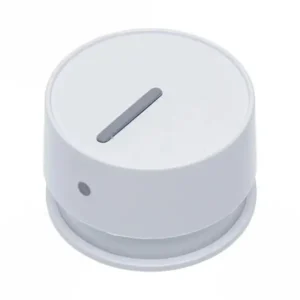
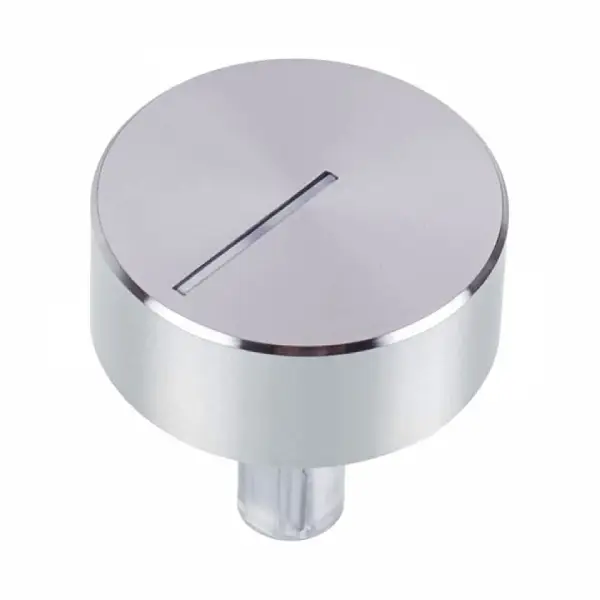
Original power button for Sauter oven 8061459
The original Sauter oven power button, part number 8061459, is a plastic component on the control panel for selecting oven functions. The part is designed for Sauter 10203 series models and ensures proper operation of the control interface. Original part only – dimensions and durability approved by the manufacturer.
Is the knob sunk? Won't return to its place? Stops functioning in the middle of cooking? The power button is one of the parts of the panel that is most affected by daily wear and tear - repeated presses exhaust the internal mechanism over time. With the original Sauter part, the control panel functions like a new device again. Check that your model is on the compatibility list before ordering.
Why does the button stop working and what do I do?
A power button is usually damaged for one of two reasons: the internal mechanism wears out after thousands of presses, or the plastic breaks in a hot environment. Replacing the button with a genuine part – and not an unapproved replacement – ensures that the axis dimensions, depth of press and material strength exactly match the oven’s specifications. Non-genuine parts may get stuck in the panel or not return to the rest position.
From our technicians’ experience, approximately 85% of “button not responding” problems are resolved by replacing the button alone – without the need to replace the entire control panel. This saves significant service costs.
📋 Technical specifications
| attribute |
value |
| Manufacturer's SKU |
8061459 |
| brand |
sauter |
| component |
Power button – control panel |
| width |
43 mm |
| height |
50 mm |
| material |
Heat-resistant plastic |
| Part type |
Original manufacturer |
| Model sticker location |
Oven door frame or back of the appliance |
✅ Compatible models
- 10203.3TTYDPSSCLCV
- 10203.3TYDPSSCLAV
- 10203.3ETSKDPSSCL
- 10203.3TYDPSSCLAQC
- 10203.3TYDPSSCLAQW
- 10203.3TTYDPSSCLCQ
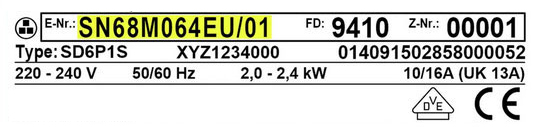
⚠️ It is mandatory to verify compatibility by the appliance model number (E-Nr) before purchasing. The model sticker is located on the oven door frame. If in doubt – contact us with the full model number for confirmation.
🔧 How do you replace the power button?
Difficulty level: Basic DIY | Time: 10-15 minutes | Tools: No tools needed
The replacement does not require opening the oven body and is suitable for self-repair:
- Make sure the oven is turned off and unplugged.
- Press the existing button towards the board until the locking mechanism releases.
- Pull the button straight out.
- Insert the new knob into the opening until it clicks – this is the sign of proper locking.
- Check that the button is pressed and released smoothly before connecting to power.
⚠️ If the knob does not lock with a clear click, do not operate the oven - contact an authorized technician.
💡 Tip from the experts
Before ordering the knob, check that the surface of the panel around the knob opening is intact and not cracked. Our service technicians report that in 20% of cases where the knob does not lock , the cause is a small crack in the panel itself – not in the knob. In such a situation, replacing the knob alone will not solve the problem.
A genuine Sauter button comes with precise material specifications that are tailored to the operating temperatures of the control panel. A non-genuine part may soften and stick – a problem that requires dismantling the entire panel.
❓ Frequently Asked Questions
Can I replace the button myself or do I need a technician?
Replacing a power button is a completely basic DIY – no tools, no opening the oven body. Anyone who can extract a button and install a new one can do it in less than 15 minutes. If the button doesn’t lock securely after insertion, it’s a good idea to have a technician check the control panel.
The oven knob is stuck – is it safe to continue using the oven?
Not recommended. A stuck button may not turn off the selected function – which could cause uncontrolled heating. Disconnect from power until the button is replaced. Such a fault can be quickly resolved with the original part.
What is the difference between an original button and an unapproved replacement?
The original button 8061459 is manufactured to Sauter specifications – 43mm wide, 50mm high, material that is precisely resistant to the temperatures of the panel area. An unapproved part may have incorrect dimensions, get stuck, or use plastic that softens in heat – turning a simple problem into an expensive repair.








 Plrom Electra service