Description
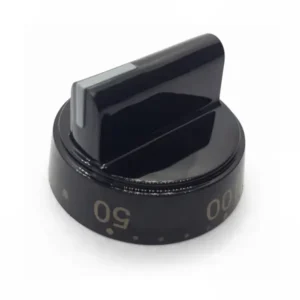
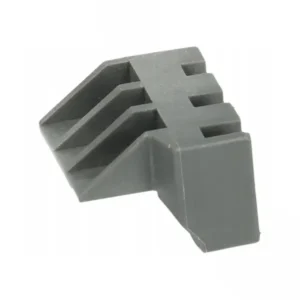
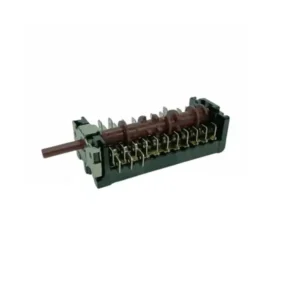
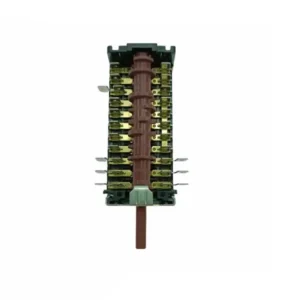
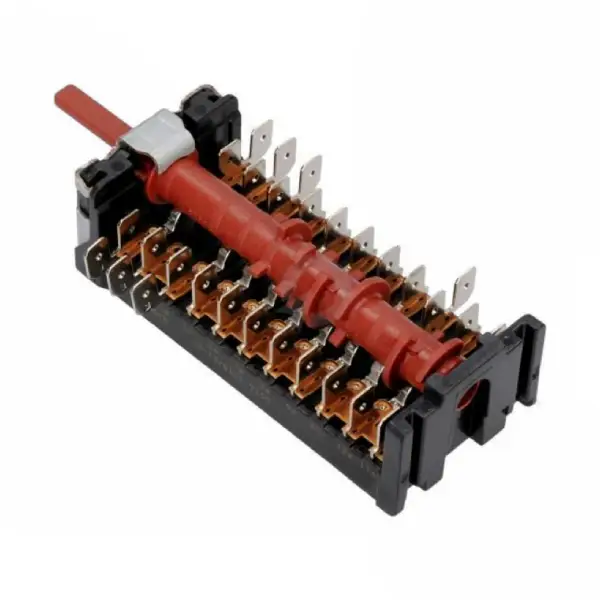
Original program selector for Sauter oven 8062894
The original Sauter 8062894 program selector is the internal component behind the control panel, responsible for selecting the baking program - top heat, bottom heat, turbo, grill, etc. When the selector breaks down - the oven does not respond to a program change, only works on some of the programs, or the power button rotates without a clear stop. ✅ Replacement is possible - but it is recommended to have it done by a qualified technician.
Just before ordering – make sure that the SKU 32016043 matches your oven model. Click the 'Check Model Compatibility' button at the top of the page for immediate confirmation.
What are the signs that the switch needs replacing?
A faulty program selector manifests itself in several ways. ✅ If any of the following signs are familiar to you – the selector is probably the cause:
The power button rotates without a clear stop between programs. The oven does not respond when turned to a specific program. The oven only works in some programs. The power button has popped in and will not return. There is a squeak or unusual resistance when turning.
The program selector is one of the most common parts to replace in ovens. In our experience servicing built-in & freestanding ovens, the most common cause of failure is moisture that has penetrated the selector mechanism over the years – especially in built-in & freestanding ovens that are located near a hob or in areas with high humidity.
⚠️ A malfunction in the selector doesn't always mean the oven isn't working. Sometimes it's just stuck on one program.
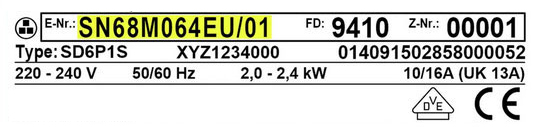
Model Locating Tip: The model sticker for Sauter ovens is usually located on the inside frame of the oven door – open the door and look at the inside of the metal frame.
What is the difference between an original selector and a non-original selector?
The original Sauter 32016043 selector is manufactured to the exact specifications of the oven: the angle of rotation, the depth of the connection axis, and the click intervals between the programs – all match the original control panel. Non-original selectors may not connect accurately to the axis, causing inaccurate programs that affect the quality of baking and the safety of the appliance.
✅ Original Sauter OEM part – precise mechanism for selecting baking modes ✅ Compatible with the original oven control panel ✅ Heat and moisture resistance – manufacturer-approved materials ⚠️ Check compatibility with your model before ordering
📋 Technical specifications
| attribute |
value |
| Manufacturer's SKU |
32016043 |
| brand |
To jump |
| Part type |
Oven program selector |
| compatibility |
Selected Sauter models |
| התקנה |
Recommended with a qualified technician |
| Original part |
Original OEM Sauter |
| Compatible SKUs |
8062894, 8064683 |
✅ Compatible models
The part is compatible with select Sauter oven models. Please ensure exact fit by checking the full model number on the sticker inside the oven door before ordering.
🔧 How do you replace the program selector in a Sauter oven?
⚠️ Replacing the program selector requires a qualified technician. The replacement involves dismantling the front control panel and working with electrical connections - do not perform without appropriate training. Below are the steps for the technician:
Step 1: Unplug the oven and wait 10 minutes until it cools completely.
Step 2: Remove the power button – it usually pulls straight out without screws.
Step 3: Loosen the screws holding the front control panel (usually 2-4 screws around the frame).
Step 4: Disconnect the cable connector connected to the old switch – mark the connection direction before disconnecting.
Step 5: Replace the old switch with the new 8062894, connect the connector, assemble in reverse order.
Plrom offers certified technician service for all Sauter models – contact us to schedule a visit.
Step 1: Unplug the oven and wait 10 minutes until it cools completely.
Step 2: Remove the power button – it usually pulls straight out without screws.
Step 3: Loosen the screws holding the front control panel (usually 2-4 screws around the frame).
Step 4: Disconnect the cable connector connected to the old switch – mark the connection direction before disconnecting.
Step 5: Replace the old switch with the new 8062894, connect the connector, assemble in reverse order.
💡 Tip from the experts
In our field experience, a program selector that starts to fail doesn’t wait – it continues to deteriorate until the oven stops responding completely. The most common early sign we see is one specific program that stops working – usually the grill or turbo. If you notice that one program is not responding but the others are working – check the selector before the problem spreads. Early treatment saves the cost of a technician’s visit.
❓ Frequently Asked Questions
Can I replace the switch myself without a technician?
Possible, but recommended for a qualified technician. The replacement involves dismantling the control panel and working with electrical connections. Anyone with experience in home electrical repairs can do it themselves – but it is necessary to completely disconnect from the power supply before dismantling. Plrom offers qualified technician service for all Sauter models.
My switch turns but the oven doesn't heat up – is it the switch?
Not necessarily. If the switch responds and turns with clear clicks but the oven does not heat – the problem is probably in the heating element or thermostat, not the switch. It is recommended to contact a technician for diagnosis before ordering a part.
The part number on my old switch is 8064683 – will 8062894 fit?
Part numbers 8062894 and 8064683 are part of the Sauter family of switches for the same oven, but there may be differences. Please verify compatibility with your complete oven model before ordering.








 Plrom Electra service