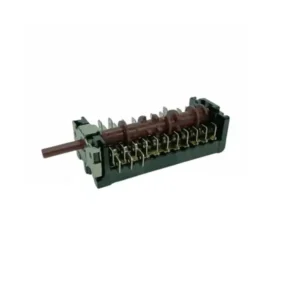
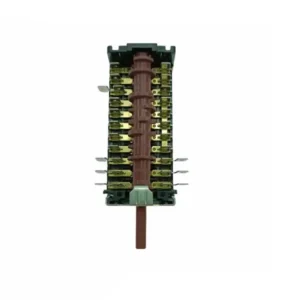
Description
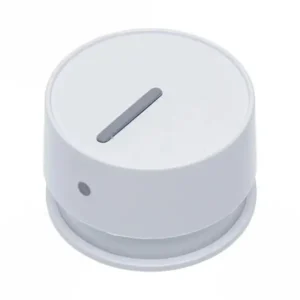
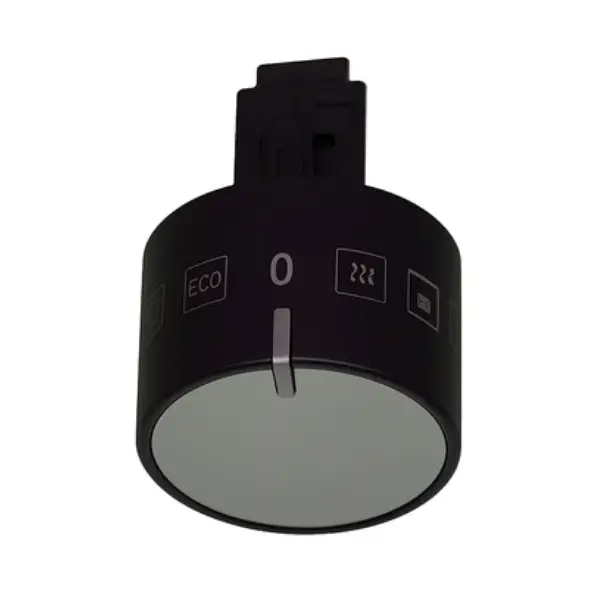
Original power button for Sauter built-in oven 9076256
Original power knob for a variety of built-in Sauter ovens – SKU 9076256. The rotary knob controls the selection of baking functions: top and bottom heat, grill, fan and all cooking modes. Suitable for EBO685, ED37 and EO4 series models. Original part only – exact dimensions and hinge pattern for the original control panel.
Has the mode selector on your oven stopped responding? There's no need to call a technician for a broken knob. Replacing a power knob is one of the most common tasks that oven owners can do themselves – in 15 minutes and without any special tools.
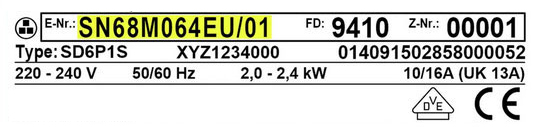
Check compatibility with your model before ordering – the oven model sticker is located on the door frame or on the back of the appliance.
What happens when the oven power button breaks?
The power button is responsible for selecting cooking modes: bottom heating only, combined heating, fan, grill, etc. When the button is broken, scratched, or spins empty – the oven does not receive the command and therefore does not heat at all, or gets stuck on one mode. Original button 9076256 restores full control over 6-8 operating modes depending on the model.
Symptoms that indicate a faulty button:
- ✅ The oven does not turn on even though the electricity is working properly
- ✅ The knob rotates freely without a “click” feeling in positions
- ✅ Only some of the cooking modes work
- ✅ The button is broken, cracked or fallen off
From the experience of our technicians, approximately 40% of calls about an “oven that does not heat” in ED37 and EBO685 series models end with just a knob replacement – and not an expensive repair.
📋 Technical specifications
| attribute |
value |
| Manufacturer's SKU |
9076256 |
| brand |
sauter |
| Part type |
Rotary knob – oven function selector |
| Compatible series |
EBO685, ED37, EO4 |
| Installation level |
DIY – Do-it-yourself replacement |
| Estimated installation time |
10-15 minutes |
| Required tools |
Hands only (removable button) |
✅ Compatible models
- ED37 series: ED37610B, ED37214B
- EBO685 series: EBO685S, EBO685SS
- EO4 series: EO4.410X
⚠️ Important: Always verify the full model number against the E-Nr sticker on the oven door frame before ordering.
🔧 How do you replace the power button on a Sauter oven?
Replacement is completely simple – no tools, no screws, no electrical connections. Replacement steps for EBO685 and ED37 models:
- Turn off the oven.
- Grab the existing button and pull it straight forward – it is pulled out on a pivot.
- Check that the shape of the new button hole matches the exposed axis (flat D shape)
- Push the new button straight onto the shaft until it clicks.
- Turn to check – make sure the knob stops at the symbol positions
💡 Tip: On models with retractable knobs – press lightly and release before removing. The knob “pops” out and can then be pulled.
💡 Tip from the experts
The most common mistake we see: Customers order a knob based on the model name alone, without checking the direction of rotation. In Sauter ovens – some models increase temperature by turning to the right, and some to the left. The original knob 9076256 comes with the symbols stamped in the correct direction for the listed models – that’s exactly the difference between an original part and a replacement that looks identical.
Based on the many service calls we have handled, the “oven not heating” fault on the EBO685 is resolved in 4 out of 10 cases by simply replacing the knob. It is worth checking before calling a technician.
❓ Frequently Asked Questions
How do you know if the button is broken or if there is a deeper problem?
Check this: Turn the knob to several different positions and notice if there is a “click” sensation between positions. If the knob turns completely smoothly without stopping – the switch’s shaft is broken and needs to be replaced. If the knob is completely removed and the shaft behind it cannot be turned – the problem is in the switch itself, not the knob.
Will a non-original button work?
An unapproved replacement knob may fit in size, but usually does not lock exactly onto the spindle. Meaning: The knob rotates but the symbols are not aligned with the actual functions, creating uncertainty in any mode selection. The original knob comes with a model-specific spindle ring.
Where is the model sticker on the EBO685 and ED37 ovens?
The E-Nr sticker on built-in & Freestanding Ovens is located on the door frame – on the inside left, visible when the door is open. You will find the full model number and serial number there. Make sure your model is on the compatibility list before ordering.








 Plrom Electra service