Description
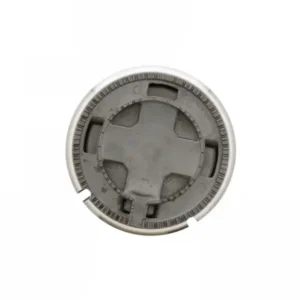
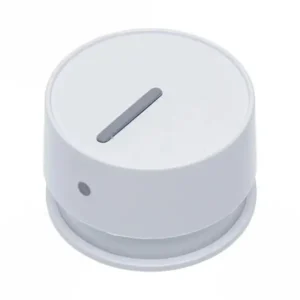
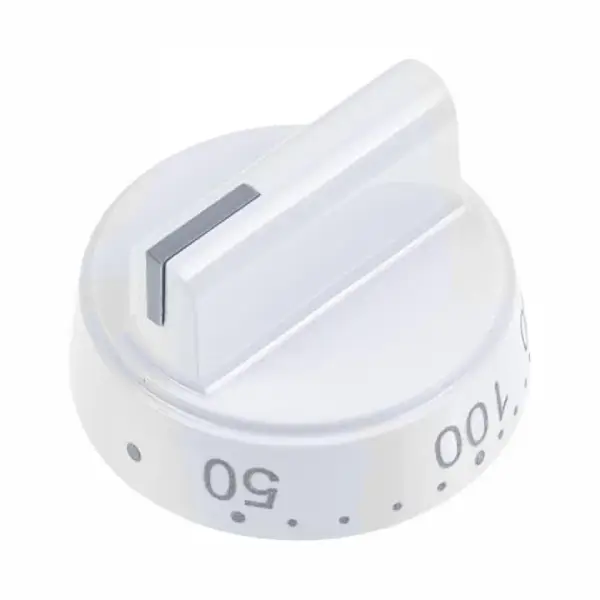
Original power switch button for Sauter 9050624 integrated oven and hob
Original Sauter power switch button, part number 9050624, is designed for the brand's electric hob combination ovens. The button is used to turn the appliance on and off, and is a spare part that wears out from daily use. Original part for perfect fit and safe function.
Is the switch broken? Not working? The button broke off the hinge? Power switches are one of the most common parts to replace – every time they are turned on and off, they wear out. Replacing them is a simple DIY, without tools or disassembling the control panel.
Why is a broken power switch not something to put off?
A switch stuck in the “on” position creates a real danger – the oven continues to heat even when you think you have turned it off. A switch that does not respond at all – the appliance is completely disabled from you. In the experience of our technicians, delaying replacing an on/off switch sometimes causes damage to the internal axis , the replacement of which already requires extensive disassembly. Quickly replacing the external knob completely prevents this scenario.
A genuine Sauter part comes with the exact geometry of the hinge – not “just right”, but a full fit that ensures safe operation and a clicky feel like the day you bought it.
📋 Technical specifications
| attribute |
value |
| Manufacturer's SKU |
9050624 |
| brand |
sauter |
| Type |
Rotary power switch button |
| Use |
Combined ovens sauter cooker |
| originality |
Original manufacturer part |
✅ Compatible models
Important: Switch knobs are a sensitive part – there may be differences between the control panel location, between the hob knob and the oven knob, and between different models. Before ordering – check your model number.
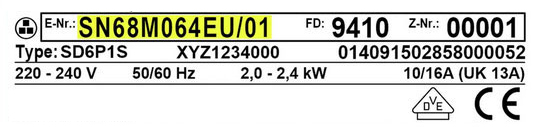
The model number is usually found on the oven door frame, or on the back of the appliance.
SKU 9050624 is suitable for Sauter electric stove combination oven models – for full verification, it is recommended to contact us with the model number.
🔧 How do you replace the power switch button on a sauter oven?
Difficulty level: very easy. No tools, average time: 2-3 minutes.
- Make sure the device is turned off and unplugged.
- Hold the button at the corners, without pressing the central axis.
- Pull the button straight towards you – it will be removed from the hinge.
- Align the slots of the new button with the hinge (usually D-shaped or flat on one side).
- Push firmly until you feel the button lock onto the hinge.
- Connect to power and check that it is operating properly.
💡 Tip from the experts
A mistake most people make: ordering a knob based on color and appearance alone. Two knobs can look exactly the same and still not fit – because of the shape of the hinge (D-shape vs. round hinge) or the depth of fit. Always check the model number.
In our experience, in 80% of requests for power switch button replacements, the customer completes the replacement themselves, within minutes. This is one of the most accessible replacement parts on the device.
❓ Frequently Asked Questions
Is the power switch for the stove and oven the same button?
Not necessarily. Even within the same model, the stove knob and oven knob may differ – in the shape of the axis, the graduated rotation, and the geometry. Before ordering – specify which knob it is and what the model number is.
The button turns but the device doesn't respond – is it the button?
Not necessarily. If the knob turns but there is no response, the problem may be in the internal shaft and not the knob. It is worth checking if the shaft moves even without the knob – if not, this is a repair that requires a technician.
Is it permissible to install a power switch button myself?
Absolutely. Switch buttons are replacement parts that are designed to be replaced by yourself. There is no exposed electricity in the process and no tools are required. The important thing is that the device is turned off and unplugged before replacing.








 Plrom Electra service